

📥 Data Import and Supported Formats
Airparser supports multiple options for importing your documents for parsing:
Sending emails and attachments to your <inbox>@in.airparser.com address.
Manually uploading files.
Importing existing emails from a connected mailbox (Outlook, Hotmail, iCloud, Yahoo, Gmail, or any IMAP server). See Import Existing Emails from Your Mailbox.
Supported documents and formats include:
PDF (including scanned PDFs)
Images: JPG, PNG, BMP
Microsoft Word: DOCX
Text formats: TXT, HTML, Markdown
Emails: EML
Spreadsheets: Excel (XLSX) and CSV
Data files: XML (for example ADF leads; see Extracting XML and XML ADF)
Archives: ZIP (the files at the top level of the archive are processed one by one; files in subfolders are skipped)
Choose which file types to process
By default Airparser processes every supported format. If your emails carry files you do not need (for example logos and signature images, or attached terms), you can turn those formats off for an inbox. Example: invoices arrive as a PDF together with a logo (PNG) and the terms (DOCX); clear Images and the .docx format to parse only the PDFs.
Open the inbox and go to Settings → General.
In File types, clear the formats you want to skip. The checkbox of a group (Documents, Spreadsheets, Images, …) selects or clears all its formats at once.
Click Save.
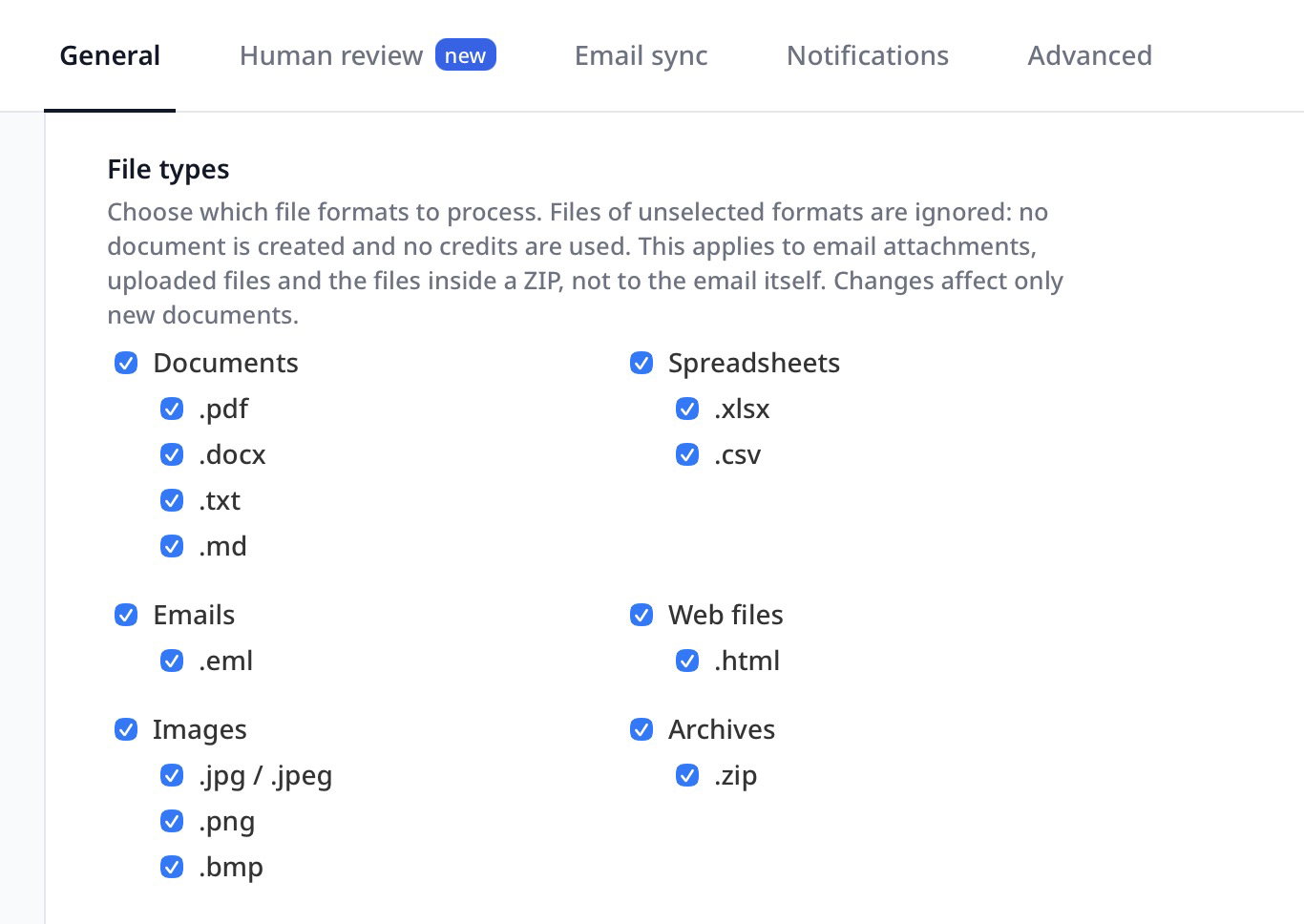
How it works:
Files of unselected formats are ignored: no document is created, no credits are used and nothing is sent to your integrations.
The setting applies to email attachments, files uploaded in the app, files sent through the API or an automation platform, and the files inside a ZIP archive. If ZIP is unselected, the whole archive is skipped.
It does not apply to the email itself. To choose whether the email text, the attachments or both are processed, use Email processing in the same settings tab.
The format is recognised from the content of the file, not only from its name.
Changes affect only new documents. Documents you already received are not changed.
If you upload a file of an unselected format through the API, the request is rejected with the error "File is not allowed (unsupported file type, or this file type is turned off in the inbox settings)".
At least one format must stay selected.
Images smaller than 120 × 120 pixels are always ignored, whatever this setting says.