

✅ Human-in-the-Loop Review
Human-in-the-loop review lets you verify and correct extracted data before it reaches your webhooks and integrations. Documents matching your conditions are held with the Review status until a team member approves them — so incorrect data never silently flows into your downstream systems.
Typical use cases:
Hold documents where the AI isn't confident about some fields.
Verify high-stakes documents (invoices, orders) before they're exported.
Let your team fix extraction errors manually instead of reprocessing.
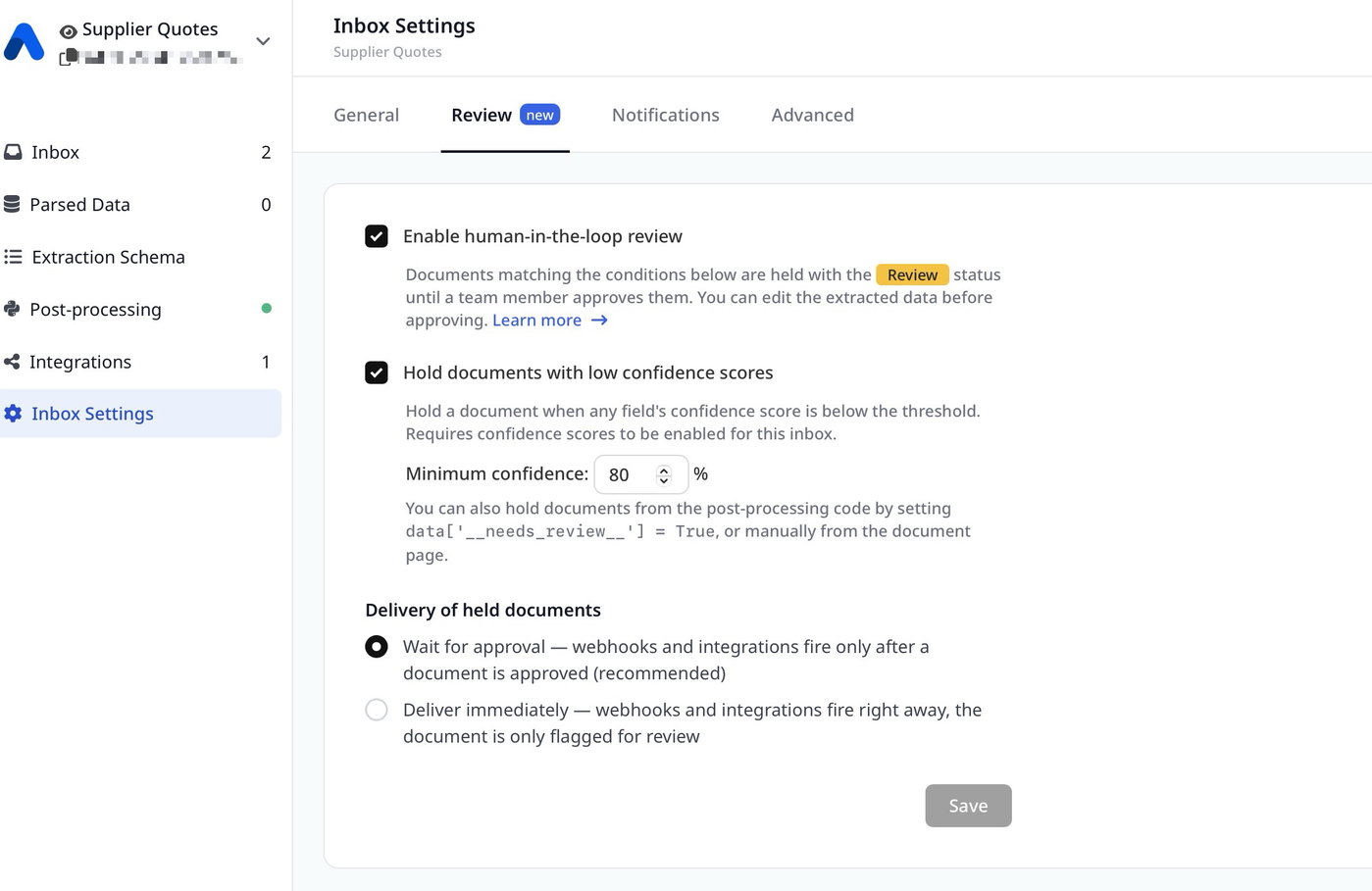
Enabling the review workflow
Open Inbox Settings → Review and enable Human-in-the-loop review. The settings are per inbox, so you can enable review only where it matters.
How documents enter review
There are three ways a document can be held for review:
1. Low confidence scores
Enable Hold documents with low confidence scores and set a minimum threshold (e.g. 80%). If any extracted field's confidence score is below the threshold, the document is held.
This condition requires confidence scores to be enabled for the inbox: go to Extraction Schema → Meta Fields and enable Confidence scores in the AI section.
2. From the post-processing code
Your post-processing Python code can hold a document based on any custom logic:
# Hold the document for reviewdata['__needs_review__'] = True # Or hold it with a reason (shown to the reviewer)if data.get('total') is None: data['__needs_review__'] = 'missing total'The __needs_review__ flag is removed from the data before export, so it never appears in your webhooks or integrations.
3. Manually
On any parsed document, click the Mark for review button in the toolbar to send it to the review queue.
Reviewing documents
Documents waiting for review are shown with the yellow Review status. You can filter them using the Status filter in the document list.
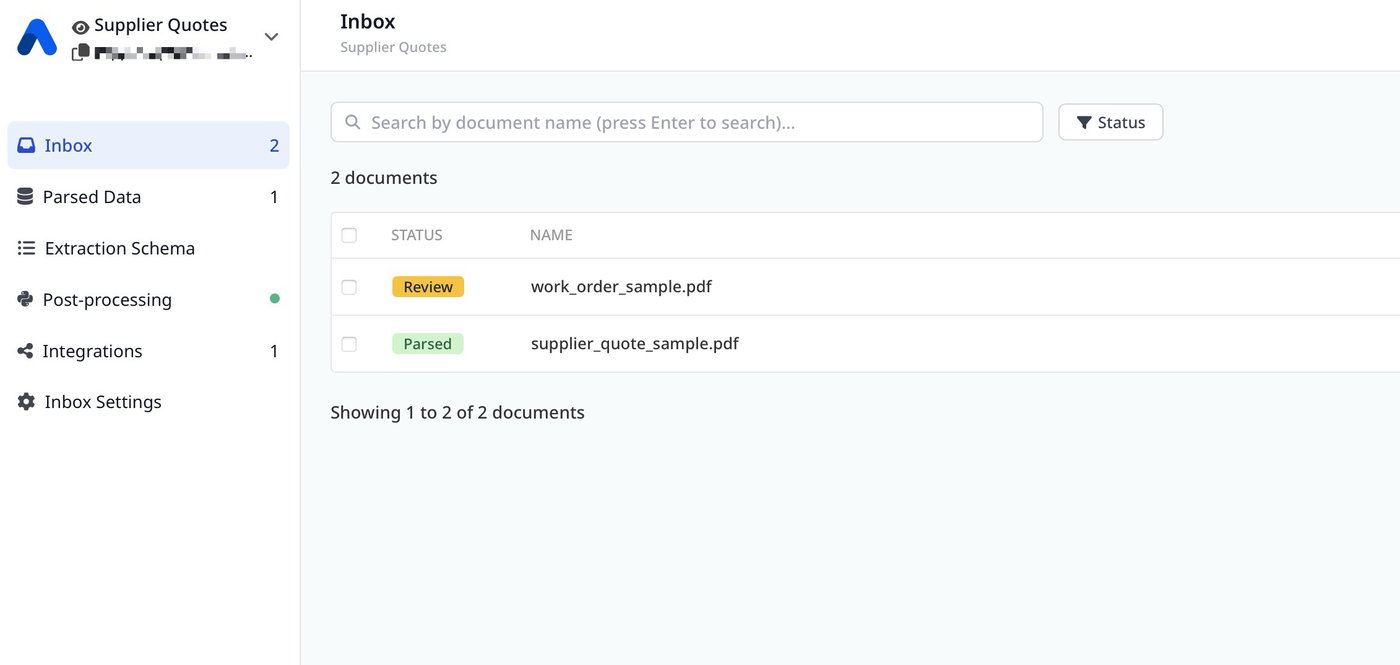
Open a held document to see the review banner with the reason (low confidence, post-processing rule, or manual). From here you can:
Approve — accept the extracted data as is.
Edit data — correct any field values first, then click Approve with changes.
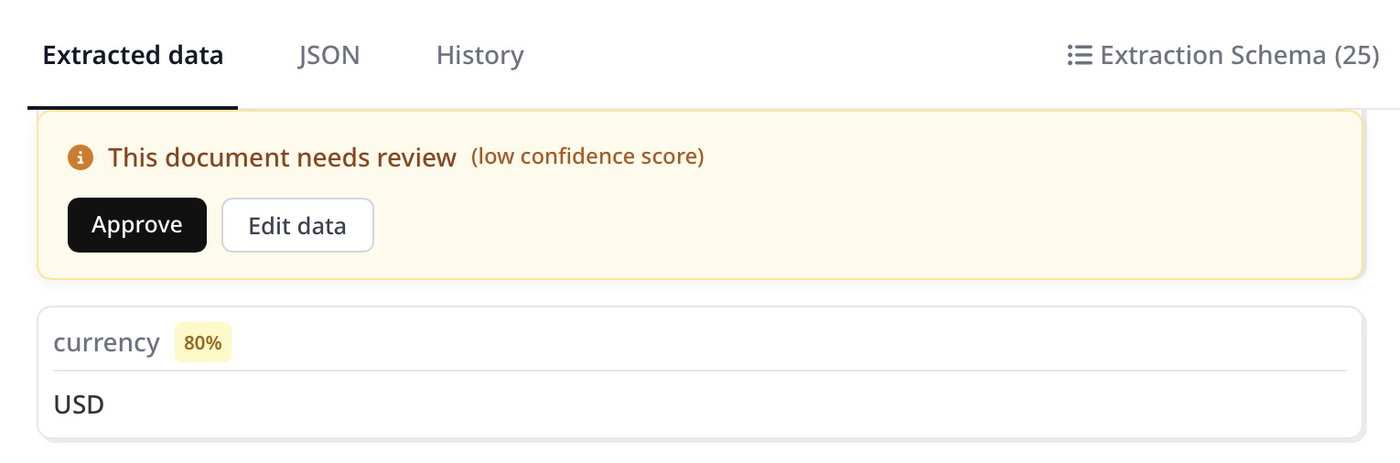
After approval, the document becomes Parsed and your webhooks and integrations fire with the corrected data.
Delivery of held documents
In the Review settings, choose what happens to webhooks and integrations while a document is held:
Wait for approval (recommended) — nothing is exported until a team member approves the document. This guarantees only verified data reaches your systems.
Deliver immediately — data is exported right away, and the document is only flagged for review in the app.
Tracking documents waiting for review
The inbox list on the home page shows a yellow REVIEW counter for every inbox with documents waiting for review. Click it to jump directly to the filtered list.

Good to know
Review is available on all plans and doesn't consume extra credits.
If you upload documents via the synchronous API, held documents are returned with the
needs_reviewstatus.Editing data during review updates both the parsed data and the post-processing output, so exports always reflect your corrections.
If you have any questions or need a hand, contact us via live chat or at support@airparser.com.